Knowing how to protect your laptop from viruses is no longer optional — it is essential. With cyber threats becoming more sophisticated, laptops used for work, ecommerce, online banking, or content creation face constant risks from malware, ransomware, spyware, and phishing attacks.
Whether you use your laptop for business, school, or personal browsing, the right combination of antivirus software, safe online habits, and smart security tools can dramatically reduce your risk. This guide explains practical, real-world strategies you can implement today, along with buying advice for security solutions that deliver strong value without unnecessary complexity.
Unlike overly technical cybersecurity guides, this article focuses on realistic steps and trusted tools that everyday users can apply — while also helping ecommerce shoppers make informed decisions when choosing protection solutions.
Why Laptop Virus Protection Matters More Than Ever
Modern malware is designed to exploit human behavior as much as technical vulnerabilities. Many attacks succeed because users unknowingly:
- Download infected files
- Click suspicious email links
- Install unsafe browser extensions
- Use outdated software
A compromised laptop can lead to:
- Loss of personal or business data
- Identity theft
- Unauthorized financial transactions
- Reduced device performance
- Privacy breaches
For ecommerce users especially — including online sellers, freelancers, or digital entrepreneurs — protecting your laptop means protecting your income sources and sensitive customer information.
Common Types of Laptop Viruses and Threats
Understanding threats helps you choose the right protection strategy.
1. Malware
General term for malicious software designed to damage or control your device.
2. Ransomware
Encrypts your files and demands payment to restore access.
3. Spyware
Tracks activity and steals sensitive information such as passwords.
4. Phishing Attacks
Fake emails or websites that trick users into sharing credentials.
5. Trojans
Hidden inside legitimate-looking programs or downloads.
Recognizing these threats helps you evaluate antivirus software and security tools more effectively.
Essential Steps to Protect Your Laptop from Viruses
1. Install Trusted Antivirus Software
High-quality antivirus software remains one of the most effective ways to prevent infections.
When choosing antivirus solutions, look for:
- Real-time protection
- Automatic updates
- Anti-phishing features
- Web browsing protection
- Ransomware defense
Popular premium antivirus options often include additional features like VPN access and password managers, which improve overall digital safety.
Pros of Paid Antivirus Software
- Advanced threat detection
- Dedicated customer support
- Multi-device protection
- Regular security updates
Potential Cons
- Subscription costs
- Some features may be unnecessary for basic users
Free antivirus tools can work for basic protection, but premium options often provide stronger proactive defense.
2. Keep Your Operating System Updated
Software updates frequently include security patches that close known vulnerabilities.
Enable automatic updates for:
- Windows or macOS
- Browser software
- Office applications
- Security tools
Many infections occur because devices run outdated software versions.
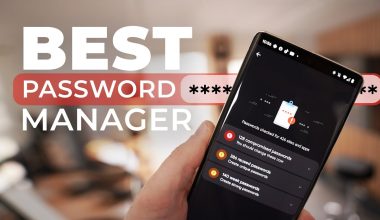
3. Use Strong Password Management
Weak passwords make it easy for hackers to access accounts.
Best practices include:
- Using long, unique passwords
- Enabling two-factor authentication (2FA)
- Using password manager software
Password managers can generate secure passwords and store them safely, reducing risk without sacrificing convenience.
4. Avoid Suspicious Downloads
One of the fastest ways to infect a laptop is through unsafe downloads.
Safe downloading habits:
- Download only from official websites
- Avoid cracked software
- Check file extensions before opening
- Scan downloads using antivirus tools
5. Secure Your Browser
Browsers are a primary entry point for threats.
Recommended actions:
- Use trusted browser extensions only
- Enable phishing protection
- Block pop-ups
- Clear cookies regularly
- Avoid unknown links
Security-focused browsers or privacy extensions can add another layer of protection.
Buying Guide: Choosing the Right Laptop Protection Tools
When shopping for cybersecurity tools, consider both performance and value.
Key Features to Compare
| Feature | Why It Matters | Ideal For |
|---|---|---|
| Real-time scanning | Detects threats instantly | Everyday users |
| VPN included | Protects data on public Wi-Fi | Remote workers |
| Password manager | Improves account security | Ecommerce users |
| Multi-device plans | Protect multiple devices | Families |
| Cloud-based detection | Faster updates | Power users |
Antivirus Software Comparison (General Overview)
| Category | Basic Protection | Mid-Level Suite | Premium Security |
|---|---|---|---|
| Price Range | Low or Free | Medium | Higher |
| Virus Detection | Standard | Advanced | AI-based detection |
| Extras | Basic scanning | VPN + firewall | Identity protection tools |
| Best For | Casual browsing | Small business users | Professionals |
Choosing the right tier depends on your usage habits and risk level.
Additional Security Tools Worth Considering
VPN (Virtual Private Network)
A VPN encrypts your internet connection, making it harder for attackers to intercept data — especially on public Wi-Fi networks.
Firewall Protection
Firewalls monitor incoming and outgoing network traffic, blocking unauthorized access.
Cloud Backup Services
Backups help you recover files if ransomware or data loss occurs.
Smart Habits That Reduce Virus Risk
Even the best antivirus software cannot fully protect unsafe browsing habits.
Follow these practical safety tips:
- Avoid opening unexpected email attachments
- Verify website URLs before entering passwords
- Log out of accounts on shared devices
- Use secure Wi-Fi networks when possible
- Disable macros in unknown documents
Cybersecurity experts consistently emphasize that human behavior plays a major role in digital safety.
Comparing Free vs Paid Security Solutions
| Factor | Free Antivirus | Paid Security Suite |
|---|---|---|
| Cost | Free | Subscription-based |
| Real-time protection | Limited | Advanced |
| Customer support | Minimal | Available |
| Extra tools | Few | VPN, password manager, monitoring |
| Best Use Case | Light users | Ecommerce or business users |
While free tools can offer basic protection, paid suites often provide broader coverage and proactive threat detection.
Common Mistakes Laptop Users Make
Avoid these frequent errors:
- Ignoring software updates
- Using pirated software
- Clicking unknown links
- Using the same password everywhere
- Installing too many browser extensions
Addressing these habits can significantly improve security without spending money.
Tips for Ecommerce Users and Online Professionals
If you run online stores, manage digital marketing campaigns, or work remotely:
- Use dedicated devices for financial transactions
- Enable login alerts for ecommerce platforms
- Monitor account activity regularly
- Use secure payment gateways
- Backup business data frequently
These practices reduce the risk of operational disruptions caused by malware attacks.
Frequently Asked Questions (FAQs)
Do I really need antivirus software if I browse carefully?
Safe browsing helps, but antivirus software provides real-time protection against unknown threats and automated attacks.
Can Macs or Linux laptops get viruses?
Yes. While less common than Windows threats, malware targeting other operating systems exists and continues to grow.
How often should I scan my laptop?
Real-time protection should run continuously. Manual full scans weekly or monthly are helpful.
Are free antivirus programs safe?
Many reputable free options exist, but they may lack advanced features found in premium versions.
Does a VPN replace antivirus software?
No. VPNs protect network traffic, while antivirus software detects and removes malicious files.
Conclusion
Protecting your laptop from viruses requires more than installing a single tool. A balanced approach — combining reliable antivirus software, strong digital habits, updated systems, and smart browsing practices — provides the best defense against modern cyber threats.
Before choosing security products, evaluate your usage patterns. Casual users may benefit from lightweight protection, while ecommerce professionals and remote workers should consider comprehensive security suites that include advanced features like VPN access and password management.
By taking proactive steps today on how to protect your laptop from viruses, you can reduce risk, maintain device performance, and protect your personal and professional data without unnecessary complexity.