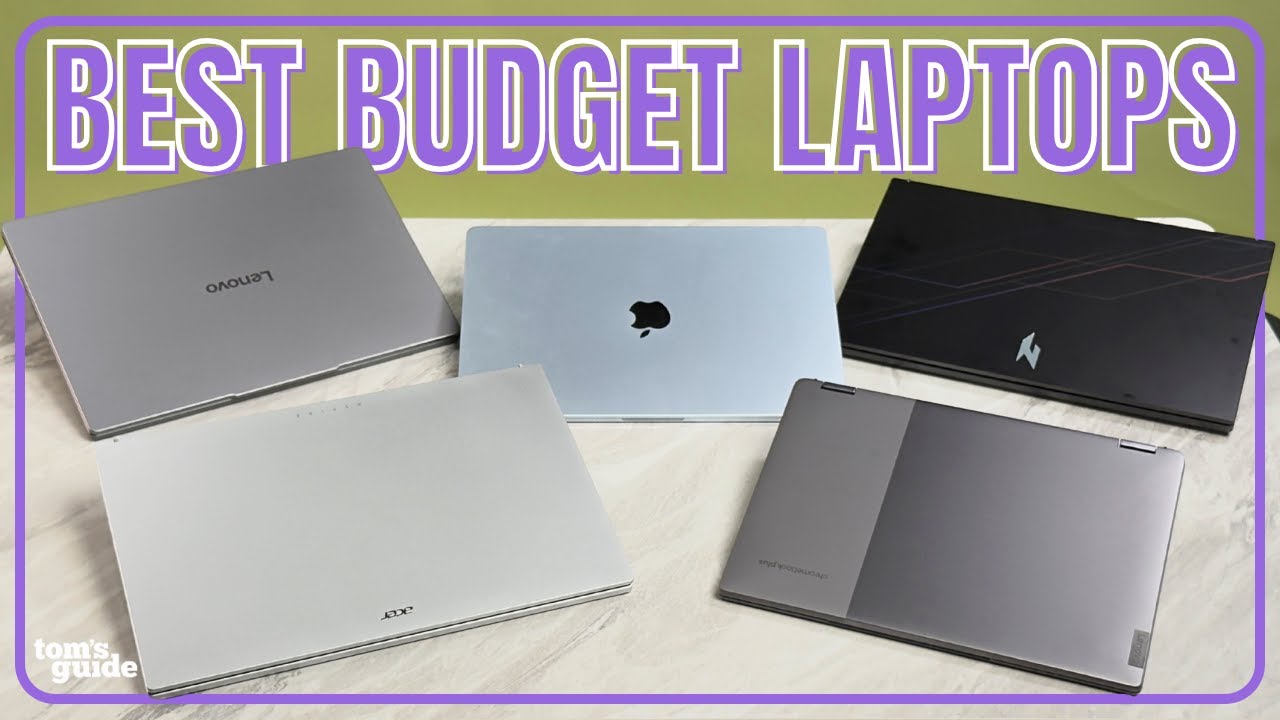
Looking for an affordable laptop that delivers strong performance without stretching your budget? In today’s competitive ecommerce market, budget laptops offer impressive value for students, remote workers, entrepreneurs, and everyday users. However, choosing the right model requires understanding specifications, long-term value, and real-world usability — not just price tags.
This comprehensive affordable laptop buying guide will help you compare features, evaluate performance, and confidently select the best budget laptop for your needs.
Why Affordable Laptops Are Better Than Ever
The under-$800 and even under-$600 laptop category has evolved significantly. Modern budget laptops now offer:
- SSD storage for faster boot times
- Energy-efficient processors
- Full HD displays
- Long battery life
- Lightweight designs
- Reliable performance for productivity software
For many users, a well-chosen affordable laptop can handle 90% of daily tasks — including office applications, online learning, video conferencing, content creation, and light photo editing.
Define Your Primary Use Case First
Before comparing brands or deals, clarify your purpose. This ensures you optimize for performance and long-term value.
1. Students & Academic Use
- Web browsing
- Research
- Word processing
- Online classes
- Light multitasking
2. Remote Work & Business
- Microsoft Office / Google Workspace
- Video conferencing
- Cloud-based tools
- Light accounting software
3. Creative & Multimedia
- Basic video editing
- Graphic design
- Photo editing
- Streaming
4. Casual Entertainment
- Streaming
- Light gaming
- Social media
Your use case determines how much RAM, processing power, and storage you need.
Key Specifications to Consider When Buying an Affordable Laptop
Understanding specifications is critical for smart ecommerce decision-making.
Processor (CPU): The Brain of the Laptop
Look for:
- Intel Core i3 (12th gen or newer)
- Intel Core i5 (older generations still viable)
- AMD Ryzen 3 or Ryzen 5
Avoid outdated dual-core processors if possible. For long-term value, choose at least a quad-core CPU.
Why it matters: Better processors improve multitasking and ensure smooth system performance.
RAM: Multitasking Performance
Minimum recommendations:
- 8GB RAM for smooth everyday use
- 16GB RAM for heavier multitasking
4GB RAM may work for basic browsing but is limiting for productivity.
Storage: SSD vs HDD
Always prioritize SSD storage over traditional HDD.
- 256GB SSD is ideal for most users
- 512GB SSD for business or media storage
- Cloud storage can supplement smaller drives
SSD improves startup speed, file transfer rates, and overall responsiveness.
Display Quality
- Minimum: Full HD (1920×1080 resolution)
- IPS panels provide better viewing angles
- 14–15.6 inch is the most balanced size
Higher brightness and anti-glare screens improve usability outdoors and in offices.
Battery Life
Look for:
- 8+ hours of real-world usage
- Fast charging support
- Energy-efficient chipsets
Battery longevity is especially important for students and remote workers.
Affordable Laptop Comparison Table
| Feature | Entry Budget | Mid-Budget | Upper Budget |
|---|---|---|---|
| Processor | Intel i3 / Ryzen 3 | Intel i5 / Ryzen 5 | Newer i5 / Ryzen 5 |
| RAM | 8GB | 8–16GB | 16GB |
| Storage | 256GB SSD | 512GB SSD | 512GB+ SSD |
| Display | Full HD | Full HD IPS | High brightness IPS |
| Best For | Students | Remote Work | Light Creative Work |
Pros and Cons of Budget Laptops
Pros
- Lower upfront investment
- Energy-efficient designs
- Lightweight portability
- Strong value-to-performance ratio
Cons
- Limited gaming performance
- Basic build materials (plastic chassis common)
- Fewer premium features like OLED screens
Best Affordable Laptop Brands to Consider
While specifications matter more than branding, these manufacturers consistently offer reliable budget models:
- Lenovo IdeaPad series
- HP Pavilion series
- Acer Aspire series
- Dell Inspiron lineup
- ASUS VivoBook range
These brands frequently provide competitive ecommerce discounts during seasonal sales.
How to Find the Best Laptop Deals Online
To maximize savings without sacrificing quality:
1. Compare Across Multiple Retailers
Prices fluctuate across ecommerce platforms.
2. Look for Seasonal Sales
Back-to-school, Black Friday, and year-end sales offer strong laptop discounts.
3. Check Warranty & Return Policy
A good warranty improves long-term investment value.
4. Consider Slightly Older Models
Last year’s mid-range laptop often outperforms this year’s entry-level model.
Common Buying Mistakes to Avoid
- Choosing 4GB RAM for long-term use
- Buying HDD-only storage
- Ignoring battery life specifications
- Overpaying for unnecessary features
- Selecting ultra-cheap unknown brands without warranty
Smart comparison shopping leads to better ROI.
Suggested External Authority References
To strengthen credibility and EEAT:
- Official brand specification pages
- Trusted review sites like TechRadar
- Independent performance benchmarks (e.g., PassMark CPU scores)
- Consumer Reports evaluations
Avoid excessive outbound links — use only relevant authority references.
Frequently Asked Questions (FAQs)
1. Is an affordable laptop good enough for remote work?
Yes. With 8GB RAM and an SSD, most budget laptops handle office applications, video conferencing, and browsing efficiently.
2. How much should I spend on a budget laptop?
For balanced performance and longevity, $500–$800 often delivers the best value.
3. Can affordable laptops handle video editing?
Basic editing is possible on mid-budget models with 16GB RAM and SSD storage, but heavy professional editing requires higher-end hardware.
4. Are Chromebooks a good affordable option?
Yes, for web-based tasks and cloud productivity. However, they are limited for advanced software installations.
5. How long does a budget laptop last?
With proper care and moderate usage, most affordable laptops last 3–5 years.
Final Recommendation: Choose Smart, Not Just Cheap
An affordable laptop should deliver reliability, speed, and long-term value — not just a low price. Prioritize a modern processor, 8GB+ RAM, and SSD storage. Compare deals carefully, check warranty terms, and align your purchase with your actual needs.
The best budget laptop is the one that fits your workflow, not the one with the flashiest marketing.