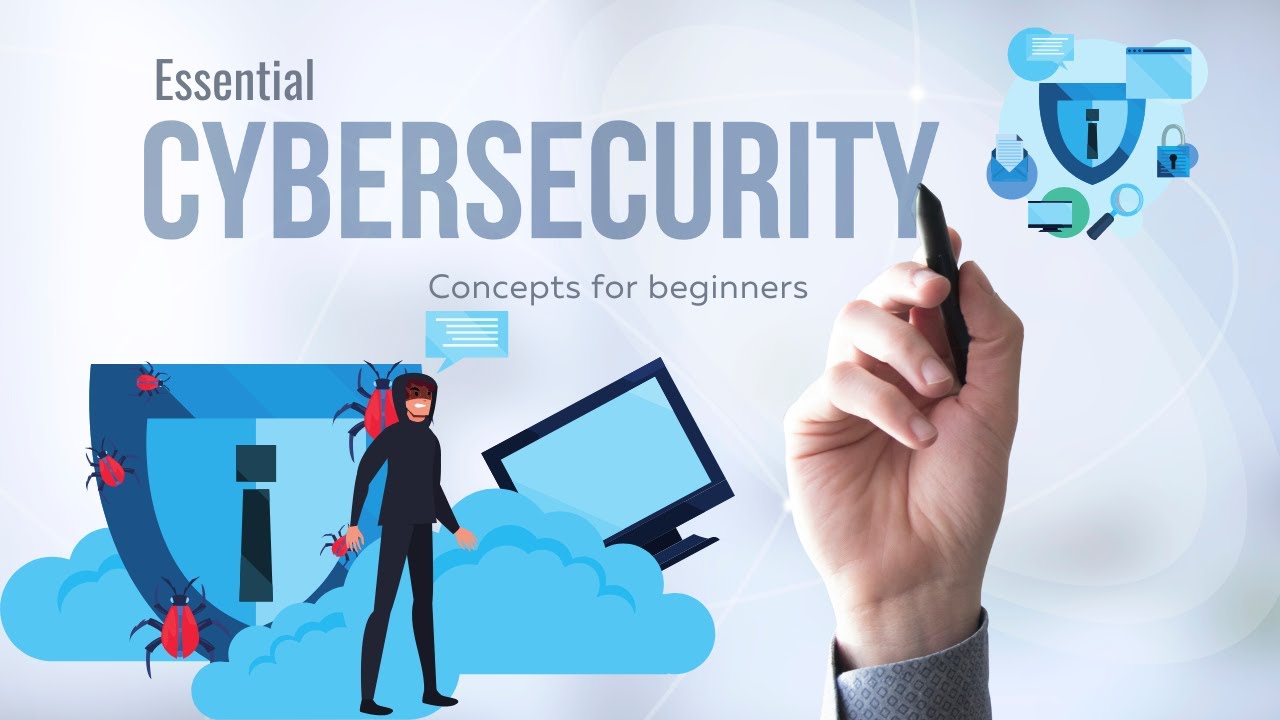
Understanding cybersecurity basics for beginners is no longer optional—it is essential. Whether you shop online, use mobile banking apps, manage an ecommerce store, or work remotely, your digital footprint is constantly exposed to potential threats. From phishing scams to identity theft, cyber risks affect individuals and businesses alike.
This guide breaks down cybersecurity in simple, practical terms. You will learn how to protect your personal data, secure your devices, and make smarter online decisions—without needing advanced technical knowledge.
If you are new to cybersecurity, this beginner-friendly guide will help you build a strong foundation.
What Is Cybersecurity?
Cybersecurity refers to the practices, tools, and strategies used to protect digital systems, networks, and data from unauthorized access, attacks, or damage.
In simple terms:
Cybersecurity is digital protection for your devices, accounts, and personal information.
It covers:
- Online privacy protection
- Secure password management
- Malware and virus prevention
- Identity theft protection
- Secure ecommerce transactions
Why Cybersecurity Matters More Than Ever
Today, almost everything is connected:
- Online shopping and digital payments
- Cloud storage services
- Remote work platforms
- Social media accounts
- Internet-connected devices (smartphones, laptops, IoT gadgets)
Each of these creates entry points for cybercriminals.
According to global cybersecurity reports from organizations like Cybersecurity and Infrastructure Security Agency and National Institute of Standards and Technology, phishing attacks and data breaches remain among the most common threats worldwide.
For ecommerce users, digital entrepreneurs, and everyday consumers, cybersecurity awareness directly protects:
- Financial information
- Business revenue
- Customer trust
- Personal identity
Common Cyber Threats Beginners Should Know
1. Phishing Attacks
Phishing involves fake emails, SMS messages, or websites designed to trick users into revealing passwords, credit card numbers, or sensitive information.
Warning signs:
- Urgent “verify your account” messages
- Suspicious links
- Grammar errors
- Unknown senders
2. Malware and Ransomware
Malware is malicious software that infects your device. Ransomware locks your files until you pay money.
You can get infected by:
- Downloading unsafe files
- Clicking unknown links
- Installing unverified apps
3. Weak Password Exploits
Using simple passwords like “123456” or “password” makes accounts easy targets.
Cybercriminals use automated tools to guess weak passwords in seconds.
4. Public Wi-Fi Risks
Public Wi-Fi networks can expose your data to hackers if not properly secured.
Avoid:
- Logging into banking apps on public Wi-Fi
- Making sensitive transactions without protection
Cybersecurity Basics for Beginners: Core Principles
Let’s break down practical steps you can implement immediately.
1. Use Strong and Unique Passwords
A strong password should:
- Be at least 12–16 characters long
- Include uppercase and lowercase letters
- Contain numbers and symbols
- Avoid personal information
Consider a Password Manager
Password managers securely store and generate complex passwords.
Benefits:
- Reduces password reuse
- Enhances account security
- Saves time
2. Enable Two-Factor Authentication (2FA)
Two-factor authentication adds a second verification layer.
Even if someone steals your password, they cannot access your account without the second code.
Most secure ecommerce platforms and banking apps offer 2FA.
3. Keep Software Updated
Software updates often include security patches.
Update regularly:
- Operating systems
- Browsers
- Antivirus software
- Mobile apps
Outdated software is one of the easiest attack targets.
4. Install Reliable Antivirus Software
Antivirus software detects and blocks malware before it causes damage.
When choosing antivirus protection, consider:
- Real-time threat detection
- Automatic updates
- Firewall integration
- Ransomware protection
5. Practice Safe Ecommerce Habits
If you shop online frequently, cybersecurity becomes even more critical.
Before Making a Purchase:
- Check for HTTPS in the URL
- Avoid deals that seem unrealistic
- Use secure payment gateways
- Monitor bank statements
High-value ecommerce transactions require extra caution, especially when shopping during discount seasons.
Device Security Comparison Guide
| Security Feature | Basic Protection | Advanced Protection | Recommended for Beginners |
|---|---|---|---|
| Antivirus | Free version | Premium suite | Yes |
| Password Manager | Browser-based | Dedicated app | Yes |
| VPN | Optional | Strong encryption | Optional |
| 2FA | SMS-based | App-based authentication | Yes |
| Firewall | Default OS | Advanced firewall tool | Yes |
This comparison helps beginners choose cost-effective cybersecurity tools without overspending.
Cybersecurity for Remote Workers and Ecommerce Sellers
If you run an online store or freelance business, security risks increase.
Key Protections for Online Businesses
- Secure payment gateways
- SSL certificates
- Encrypted backups
- Regular security audits
- Secure cloud storage
Small ecommerce businesses are often targeted because attackers assume weaker security systems.
Investing in small business cybersecurity solutions reduces long-term financial risks.
Cloud Security Basics
Cloud services are convenient—but not automatically secure.
Protect Your Cloud Data:
- Use strong login credentials
- Enable activity alerts
- Limit account sharing
- Encrypt sensitive files
Many reputable providers follow international security standards developed by organizations such as International Organization for Standardization.
How to Spot Secure Websites
Before entering payment details:
- Look for “https://”
- Check for a padlock symbol
- Verify company contact information
- Read independent reviews
Avoid websites that lack transparency.
Pros and Cons of Basic Cybersecurity Tools
Pros
- Protects financial information
- Reduces identity theft risk
- Builds digital confidence
- Safeguards ecommerce transactions
- Enhances data privacy
Cons
- Premium security tools may require subscription fees
- Learning curve for beginners
- Over-reliance on tools without awareness
The key is combining tools with smart behavior.
Beginner’s Cybersecurity Checklist
✔ Use unique passwords
✔ Enable two-factor authentication
✔ Install antivirus software
✔ Avoid suspicious links
✔ Update devices regularly
✔ Back up important files
✔ Monitor financial statements
Following this checklist significantly lowers your exposure to cyber threats.
Frequently Asked Questions (FAQs)
1. What is the most important cybersecurity habit for beginners?
Using strong, unique passwords combined with two-factor authentication is the most effective starting point.
2. Do I need paid antivirus software?
Free versions offer basic protection, but premium plans provide enhanced features like ransomware protection and real-time monitoring.
3. Is public Wi-Fi always unsafe?
Not always, but it increases risk. Avoid sensitive transactions unless you use a secure connection.
4. How often should I update my passwords?
Update passwords every 3–6 months, especially for banking and ecommerce accounts.
5. Can beginners protect themselves without technical skills?
Yes. Basic cybersecurity practices do not require advanced technical knowledge—just awareness and consistency.
Tips for Making Smart Cybersecurity Decisions
- Prioritize high-risk accounts (banking, ecommerce, work email).
- Invest in tools that match your digital activity level.
- Avoid overspending on unnecessary security software.
- Educate yourself continuously about new threats.
- Back up important files regularly.
Conclusion: Building a Secure Digital Foundation
cybersecurity basics for beginners are not complicated—but they are powerful.
By implementing simple steps like using strong passwords, enabling two-factor authentication, updating software, and practicing safe ecommerce habits, you dramatically reduce your exposure to cyber threats.
Digital safety is not about fear. It is about preparation.
Start small. Stay consistent. Protect your digital life with confidence.
Your data, finances, and online presence deserve it.